조이스틱 입력 받아보기
참고: https://m.blog.naver.com/microfun/221736254902
const int Xin = A0;
const int Yin = A1;
const int KEYin = 2;

void setup() {
  pinMode(KEYin, INPUT_PULLUP);
  Serial.begin(9600);
}

void loop() {
  int xVal = analogRead(Xin);
  int yVal = analogRead(Yin);
  int buttonVal = digitalRead(KEYin);

  Serial.print("X = ");
  Serial.println(xVal, DEC);

  Serial.print("Y = ");
  Serial.println(yVal, DEC);

  Serial.print("Button is ");

  if (buttonVal == HIGH) {
    Serial.println("not pressed");
  } else {
    Serial.println("PRESSED");
  }
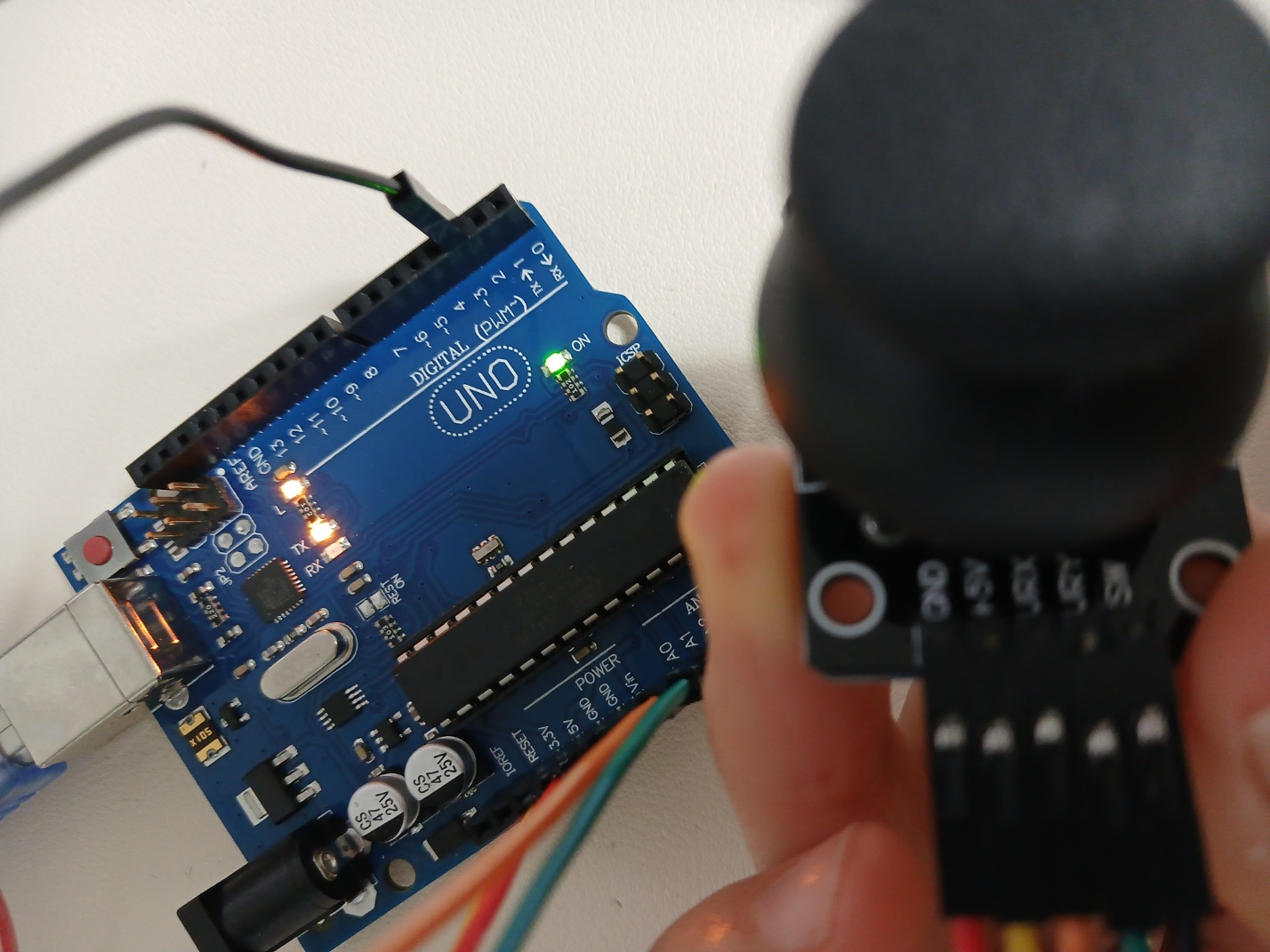
}
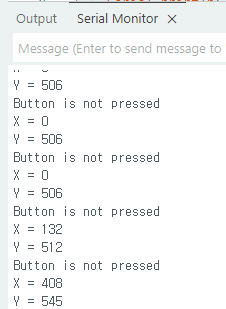
조이스틱을 꾹 누르고 있으면 PRESSED 로그가 찍힘

tone(pin, frequency): 정해진 핀을 통해 특정한 주파수(50%의 듀티 사이틀)의 사각 파형을 생성
pin: 음을 생성하고자 하는 핀 번호
frequency: 생성하고자 한느 음의 주파수
noTone(pin): tone 함수로 생성된 사각 파형의 생성을 멈춤
pin:음 생성을 멈추고자 하는 핀
능동부저: 전원만 인가하면 약 2.5KHz의 음이 발생
수동부저: 미리 설계된 회로가 없어서 주파수를 입력해야 소리가 남.
두 부저 둘다 피에조 결정체를 이용하여 소리를 냄
수동부저 소리내보기
도
const int BUZZER = 10;

void setup() {
  tone(BUZZER, 262);

  delay(3000);

  noTone(BUZZER);
}

void loop() {

}
도레
const int BUZZER = 10;

void setup() {
  for (int cnt=0; cnt<=2; cnt++) {
    tone(BUZZER, 262);
    delay(1000);
    tone(BUZZER, 294);
    delay(1000);
  }

  noTone(BUZZER);
}

void loop() {

}
도레미파솔라시도
const int BUZZER = 10;
const int melody[8] = {
  262, 294, 330, 349, 393, 440, 494, 523,
};

void setup() {
  for (int note=0; note<=7; note++) {
    tone(BUZZER, melody[note]);
    delay(500);
  }

  noTone(BUZZER);
}

void loop() {

}
학교종이 땡땡땡
const int BUZZER = 10;
char note[] = "ggaaggeggeed ggaaggegedec";
char beats[] = "111111211112211111121111122";
int note_length = sizeof(note)/sizeof(note[0])-1;

int tempo = 300;

int freq(char note) {
  char note_name[] = { 'c','d','e','f','g','a','b','c' };
  int note_freq[] = { 262, 294, 330, 349, 393, 440, 494, 523 };

  for (int i=0; i<sizeof(note_name)/sizeof(note_name[0]); i++) {
    if (note_name[i] == note) {
      return note_freq[i];
    }
  }
  return 0;
}

int duration(char beat) {
  return beat - '0';
}

void setup() {
  for (int i=0; i<note_length; i++) {
    if (note[i] != ' ') {
      tone(BUZZER, freq(note[i]));
    }
    delay(tempo*duration(beats[i]));

    noTone(BUZZER);
    delay(100);
  }
}

void loop() {

}
키보드 피아노
const int BUZZER = 10;
const int note[9] = { -1, 262, 294, 330, 349, 393, 440, 494, 523, };

void setup() {
  Serial.begin(115200);
}

void loop() {
  if (Serial.available()) {
    char userInput = Serial.read();
    if ('1' <= userInput && userInput <= '8') {
      int num = userInput - '0';
      tone(BUZZER, note[num]);
      delay(500);
    }
  }
  noTone(BUZZER);
}
버튼 피아노 만들기
const int BUZZER = 10;
const int button[8] = {9, 8, 7, 6, 13, 5, 4, 3};
const int note[8] = {262, 294, 330, 349, 393, 440, 494, 523};

void setup() {
  Serial.begin(9600);
  Serial.println("--- Piano System Ready ---");

  for (int n = 0; n <= 7; n++) {
    pinMode(button[n], INPUT);
  }
}

void loop() {
  bool isAnyButtonPressed = false; // 버튼이 하나라도 눌렸는지 체크하는 변수

  for (int i = 0; i < 8; i++) {
    if (digitalRead(button[i]) == HIGH) {
      tone(BUZZER, note[i]);     // 소리 켜기
      isAnyButtonPressed = true; // 눌렸다고 표시

      // 로그 출력 (확인용)
      Serial.print("Playing: "); Serial.println(note[i]);
      break; // 하나라도 눌렸으면 더 이상 검사 안 하고 나감
    }
  }

  // 루프를 다 돌았는데 아무것도 안 눌렸다면?
  if (isAnyButtonPressed == false) {
    noTone(BUZZER); // 그때 소리를 끔
  }
}
능동부저 소리내보기
const int ACTIVE_BUZZER = 10;

void setup() {
  pinMode(ACTIVE_BUZER, OUTPUT);

  digitalWrite(ACTIVE_BUZZER, HIGH);
  delay(3000);
  digitalWrite(ACTIVE_BUZZER, LOW);
}

void loop() {

}
const int ACTIVE_BUZZER = 11;

void setup() {
  pinMode(ACTIVE_BUZZER, OUTPUT);

  for (int cnt=0; cnt<=2; cnt++) {
    digitalWrite(ACTIVE_BUZZER, HIGH);
    delay(1000);
    digitalWrite(ACTIVE_BUZZER, LOW);
    delay(1000);
  }
}

void loop() {

}
수동부저로 하니까 딱딱 소리만 났음

능동부저로 하니까 삑 소리가 남

버튼 값에 따라 능동부저 울리기
const int ACTIVE_BUZZER = 11;
const int buttonPin = 2;

void setup() {
  pinMode(ACTIVE_BUZZER, OUTPUT);
  pinMode(buttonPin, INPUT);
}

void loop() {
  int buttonInput = digitalRead(buttonPin);
  digitalWrite(ACTIVE_BUZZER, buttonInput);
}
서보
Servo.attach(pin): 핀을 Servo 변수에 붙이는 함수
pin: 서보 모터가 붙은 핀 번호, 9, 10번 핀 중 하나
Servo.write(angle): 서보 모터에 각도 값을 써 넣는 함수
angle: 서보모터에 쓸 각도 값, 0~180도
서보모터 각도 조절해보기 - 아날로그쪽에 있는 GND에 꽃았을땐 제대로 안움직였음
#include <Servo.h>

const int SERVO_PIN = 10;
Servo myServo;

void setup() {
  Serial.begin(9600);
  Serial.println("Servo Test Start!");
  myServo.attach(SERVO_PIN);
}

void loop() {
  // 0도에서 180도까지 천천히 움직임
  Serial.println("Moving to 0");
  myServo.write(10); // 0보다는 10도가 안전함 (기계적 한계 방지)
  delay(1000);

  Serial.println("Moving to 170");
  myServo.write(170); // 180보다는 170도가 안전함
  delay(1000);
}
서보 모터 0~180도 조절해보기
#include <Servo.h>

const int SERVO = 10;
Servo servo;

void setup() {
  servo.attach(SERVO);
  servo.write(0);

  delay(1000);

  for (int angle=0; angle<=180; angle++) {
    servo.write(angle);
    delay(30);
  }

  servo.detach();
}

void loop() {

}
시리얼로 서보 제어하기
#include <Servo.h>

const int SERVO = 10;
Servo servo;

void setup() {
  Serial.begin(115200);
  servo.attach(SERVO);
  servo.write(0);
  delay(1000);
}

void loop() {
  if (Serial.available()) {
    char userInput = Serial.read();
    Serial.println(userInput);

    switch(userInput) {
      case '1':
        servo.write(30);
        delay(1000);
        break;
      case '2':
        servo.write(90);
        delay(1000);
        break;
      case '3':
        servo.write(150);
        delay(1000);
        break;
      default:
        break;
    }
  }
}
버튼 값에 따라 서보 회전하기
#include <Servo.h>

const int SERVO = 10;
Servo servo;
const int buttonPin = 2;

void setup() {
  Serial.begin(115200, INPUT);
  servo.attach(SERVO);
  servo.write(0);
  delay(1000);
}

void loop() {
  int buttonInput = digitalRead(buttonPin);
  Serial.println(buttonInput);

  if(buttonInput == 1) servo.write(150);
  else servo.write(30);
}
pulseln(pin, value): 특정 핀에서 하나의 사각 파형(HIGH 또는 LOW)을 읽는 명령어.
pin: 사각 파형을 읽고자 하는 핀 번호
value: 읽고자 하는 사각 파형. 지속되는 HIGH 구간의 사각 파형 또는 LOW 구간의 사각 파형.
초음파 센서로 거리 측정해보기
const int trig_pin = 11;
const int echo_pin = 12;

void setup() {
  pinMode(trig_pin, OUTPUT);
  pinMode(echo_pin, INPUT);

  Serial.begin(115200);
}

void loop() {
  digitalWrite(trig_pin, LOW);
  delayMicroseconds(2);
  digitalWrite(trig_pin, HIGH);
  delayMicroseconds(10);
  digitalWrite(trig_pin, LOW);

  long duration = pulseIn(echo_pin, HIGH);
  long distance = (duration/2) / 29.1;

  Serial.print(distance);
  Serial.println("cm");
}

'아두이노' 카테고리의 다른 글
| 아두이노 - 서보모터, 초음파 (0) | 2026.03.23 |
|---|---|
| 아두이노 - Timer (빛, 부저) (0) | 2026.03.23 |
| 아두이노 - 시리얼, LED (0) | 2026.03.22 |
| 아두이노 LED 회로 구성하기 (0) | 2026.03.21 |
| 아두이노 시작 (0) | 2026.03.21 |